=======================
Design & Hardware
=======================
[CONSTRUCTION]: The surface of the N900 is a smooth black matte finish. The build material is durable aluminum, steel and rubber/plastic. The N900 easily fits in a pocket, being smaller than the N810 but thicker than an iPhone. The four front components are the status light, proximity sensor, ambient light sensor, and VGA camera. There is a consumer infrared port (universal remote), wrist strap option, stylus and kickstand. The removable back contains the main camera, SIM, battery and microSDHC slot. Removal requires some strength but it's reassuring knowing it won't fall off.
[KEYBOARD]: The keyboard is side-sliding with a smooth, springless mechanism, giving it a very solid feel. The keyboard is three-row, localized and backlit with rubberized key surfaces. The keys are more difficult to use than devices with rounded keys but are still easier than virtual keyboards. While reaching speeds of 35-40 WPM is realistic, you won't be writing any novels as extended use is tiring. It is possible connect a USB or Bluetooth keyboard, gamepad, mouse and even a Wii Remote.
[TV-OUT]: There is 480i resolution TV-out which uses an included 3.5mm jack with 4 rings. These are ground, audio left and right, and composite video. Useful for watching movies, playing games or doing work that requires a big screen.
[SCREEN]: The 16 million color, 800x480 pixel display is incredible. It is pressure-sensitive, 15:9 aspect and transflective, making the screen easier to see in direct light. It uses a surprisingly responsive resistive touch screen allowing use with gloves, fingernails or a stylus. The ambient light sensor adjusts the brightness automatically. Lack of multi-touch means cumbersome "swirling" gestures in some software but is generally not a huge issue.
[CAMERAS]: The main camera is a 5MP Carl Zeiss, the same as the Nokia N97. It comes with a sliding shutter to protect the recessed lens. There is also a front-facing 640x480 webcam. The camera interface is the same as the S60. The image quality is sharp, skin tones are vivid and there is very little, if any, chromatic aberration at the edges. The camera uses the accelerometer when photographing so the photo viewer can show the picture "up" however the N900 is held. Take a portrait picture and view it landscape and it'll be small. Turn the device and it'll fill the screen. There are the following modes: Automatic, Macro, Portrait, Landscape, Action, and Auto video. The camera can take 848×480 resolution video at 25 fps. The video quality is crisp, recording at an impressive 3000 kb/s but the framerate usually drops to 20fps and the audio quality is metallic. The camera also works with Adobe Flash.
[BATTERY]: The battery is a 1320mAh Nokia BL-5J, 22% smaller than the BP-4L. A full battery with unoptimized settings allows about 5-9 hours of continuous talk time, 5 hours of music or a few hours of 3G. 3G/3.5G drains the battery faster than Wi-Fi. Lowering brightness, removing desktop widgets and disabling GPS, Wi-Fi, Bluetooth and 3G easily triples battery life. Charging is through microUSB which takes about 4-5 hours for an empty battery. The "complete cycle" method some people use is for calibrating multicell laptop batteries, but the N900 only has a single cell battery so it's pointless and marginally harmful to do complete discharge cycles as there's nothing to calibrate.
[INTERNAL MEMORY]: The N900 has two memory chips. The first is a 32GB eMMC: 768MB of 'virtual memory' (swap), 2GB for settings and software (ext3 /home), the last ~26GB (MyDocs) is for your files only (software not allowed). The second chip is 256MB of NAND memory (RAM) used for bootloader, kernel and rootfs, twice that of the N810. Optionally, several gigabytes are used for the localized offline Ovi Maps, useful in areas without data coverage.
[EXPANDABLE MEMORY]: The N900 has a hot-swappable microSDHC slot under the rear panel. It supports microSDHC cards up to 32GB of any class. The included cable can connect the N900 to a computer for easy transfer of files by allowing the N900 to act as a hard drive, though only "MyDocs" is accessible.
[GPS & MAPS]: The GPS is a real GPS and has been improved over the N810 due to the addition of assisted GPS. The cold fix time with data is about 10-40 seconds with accuracy as good as the Nokia N97. Without data it can take very long, 15+ minutes. Pre-loaded Ovi Maps are available so a data connection is not required. Ovi Maps includes current weather information using the GPS to show local weather. Navigation and mapping with Ovi Maps is free but there is no turn-by-turn voice navigation. The low 1.0 version is due to it being the first Maemo release of Ovi maps explaining the lack of features it has compared to the 3.0 version available on Symbian.
[FM TRANSMITTER]: The builtin FM transmitter transmits the audio from the device into radio frequency so you can tune your car radio to that frequency and play N900 media wirelessly. It works as advertised but must be very close to the receiving radio.
[RADIOS]: The signal strength of the N900's 3G radio is weak. It is possible to turn off the cellular radio without disabling Wi-Fi/Bluetooth by going into offline mode and then manually enabling either. The N900 can use another phone as a 3G modem using Bluetooth but setup is complicated. Bluetooth DUN and PAN modes are supported via community software. Advanced WLAN security, like different kinds of EAP (EAP-PEAP, EAP-MSCHAPv2, etc.), different ciphers (RSA, 3DES, SHA, etc.) and "authority certificates" (algorithms like X.509, SHA1RSA) are all supported. With Bluetooth DUN, tethering is supported.
[AUDIO]: The built-in stereo speakers are loud but lacking in bass. They make an acceptable portable radio. Bluetooth headphones work great. The audio quality of the 3.5mm jack is loud and slightly more "forward" sounding than the more "laid back" or "polite" sound of other smartphones but without the response peaks, valleys or ripples that so often mar the critical 1,000 Hz. region. Audio sounds more "present" than with similar devices. The included earphones have a somewhat dirty signal. Higher frequencies hiss, losing details and the brightness and dynamic volume are shallow, lacking weight and depth. The earphone wires feel like they will become loose over time.
========================
Application Software
========================
[SCREEN ORIENTATION]: Most software and the main N900 interface only work in landscape mode. The only time it can be switched to portrait mode is when making or receive a phone call. Rotating the phone into portrait mode opens the dialpad automatically after a delay. Portrait mode for the browser is unofficially available by pressing Ctrl-Shift-O. Third party software orientation is at the discretion of the software developer.
[WEB BROWSER]: The overall web experience is amazing, perhaps the best available in a device this size. The web browser is MicroB and supports full Adobe Flash, video and applets providing a very fast, full web experience. Tapping zooms and centers where tapped. Making a circular motion zooms gradually. Moving a finger off the left of the screen produces a mouse arrow for websites requiring this operation. The Flash version is 9.4. 10.1 is confirmed for Q1 2010. Many Flash games play fine but the keyboard can be iffy. Unfortunately some Flash applets still run after closing the browser and drain the battery. The simplest fix is to reboot. MicroB is based on Firefox which uses Gecko, Webkit browsers are also freely available.
[COPY AND PASTE]: Copy and pasting text is allowed in all menus and textboxes.
[SOCIAL NETWORKING]: The N900 comes with utilities for using Twitter and Facebook. Social presence is a global service, once connected, the contact list is updated realtime, there's no need to launch 'Contacts'. IM support for MSN, ICQ, AIM, Yahoo, IRC and more is also available through Pidgin. Video calls can be made over IP using Google Talk. Email supports Mail for Exchange (including 2003) and IMAP/POP3. Nokia/Ovi Messaging provides PUSH email for up to 10 simultaneous accounts, including webmail and keeps the accounts separate. Skype calls can be made using 3G.
[PRODUCTIVITY]: Included is Documents To Go, a suite of apps for opening MS Office documents. There's a free version that only opens Office files and a pay version for creating and editing Office files. Full versions of AbiWord and OpenOffice are freely available as well.
[MEDIA PLAYER]: The media player works but can be picky. Included are some 720p trailers showing the N900's speed and amazing screen. Codec support is unclear and experimenting with "mostly supported" media can be a stuttering mess. The media player is okay for music but could use some polishing, the lack of an equalizer was a surprising omission for example. There are also free, community media players like VLC available.
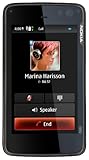
[PHONE]: The 'phone' part of the N900 could be better for a flagship device. The 'rotate start' of the phone interface takes several moments. There's no way to filter or organize the call log and call duration is not recorded. There's no speed dial functionality and it's not possible to send an SMS or access device settings from the phone screen. The N900's poor proximity sensor opens random screens while in your pocket and there's no per-contact ringtone support. On the positive side, the call quality and signal strength are excellent. MMS is not yet officially supported but community software fMMS allows its functionality.
========================
Operating System
========================
[INTERFACE]: The OS interface is polished and fluid. You can sweep 360 degrees through four desktops filled with your choice of widgets, shortcuts and wallpaper, easily zooming in and out of open applications. The interface is usually quick and responsive but can stutter. When a dialog opens, the application behind it blurs like frosted glass. All context menus are pop-ups dismissed by pressing outside the menu.
[MULTITASKING]: Multitasking is phenomenal. You can run every application with no sign of slowing. Taskswitching is thumbnailed showing what each program is. The active program's window shrinks so all open programs are visible at once. Then any window may be closed using the X in the corner in any order.
[TECHNICAL]: The default N900 OS is Maemo 5. Maemo is a relatively new OS made by Nokia based on Debian. Over-the-air software updates are supported by Maemo. All software is freely available through your choice of software repositories. Apt-get works fine. With Maemo there is no app approval process. The system is open and free, promoting a strong Maemo community and developer network. The current amount of Maemo software is quite limited compared to other platforms, but growing, especially due to the Ovi store offering commercial software. Maemo 5 has some backwards compatibility allowing Maemo 4.1 software to work with the old look and feel.
[ALTERNATIVES]: There are other alternative systems that may be installed like Mer, Nitdroid and Debian. Various images may be booted on the card or the flash memory, just like multi-booting on a desktop.
[SHELL]: Out of box there is a true linux shell with root access. You can install sshfs and mount shares from a server or even insert a kernel module. Characters missing from the keyboard are accessed with Fn+Ctrl. BusyBox with nano and vi are bundled by default.
[DEVELOPMENT]: Maemo offers a POSIX environment allowing use as a UNIX system with native software. Useful for *NIX developers since it opens a lot of possibilities. There are a number of different languages available, and more to come. GUI development is done using standard Linux toolkits GTK and Qt. Python is also available. The N900's implementation of Python is not dumbed down, GUIs can be created with popular toolkits like PyGTK and PyQt. Important since there are many developers that already know how to write N900 applications, even if they don't realize it yet.
========================
Drawbacks & Issues
========================
No official MMS support. Doesn't work on AT&T's 3G network. No magnetometer (digital compass). No 802.11n. No handwriting recognition. No USB-OTG. No voice dialing. No global kinetic scrolling. Lack of multi-touch. Lack of portrait mode software. Scrolling can be jerky. Kickstand is wobbly with only one position. Mail for Exchange doesn't support Google's Active Sync. Lack of software, especially commercial due to the new OS. Various minor GUI issues that need refining. Various other issues not directly related to the device like spotty Ovi/Nokia support, Nokia launch issues and quality control issues.
========================
Conclusion
========================
People are saying the N900 is not a Nokia Internet Tablet anymore and it's just a smartphone but when you use it, you really feel like you're using a device that is more than a smartphone. As long as you understand the limitations, as mentioned above, can deal with the growing pains as software matures, and understand and value the advantages the N900 offers, you'll be really happy with the N900.Get more detail about Nokia N900 Unlocked Phone/Mobile Computer with 3.5-Inch Touchscreen, QWERTY, 5 MP Camera, Maemo Browser, 32 GB--U.S. Version with Full Warranty.

Thank you for the information.. Already i got this site http://www.prounlocking.com/ for unlocking mobile codes @ reliable casts. Also we can get the best solutions for the unlock for all mobile brands. Just get this site http://www.prounlocking.com/ for all mobile codes @ lowest costs.
ReplyDelete