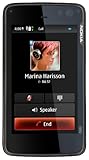
Myself: On T-mobile. I'm a Computer Information system, and Accounting major. I've never installed a linux based system OS, but I would say I'm fairly knowledgeable of the Windows OS, and THIS PHONE IS AWESOME!
Review pertains mainly for the Phone/Email/Calendar/Web/Multi-tasking functionalities users
I'm a user that mainly uses it for email and web, and this phone is so great with that. It caches all the emails rss feeds right into the phone, so you can view it even if your not online.
PHONE: The phone works just fine. I normally doesn't have too much of an opinion of call quality, possibly because I haven't used any HORRIBLE phones yet. But i suppose it works very well. All the functionalities of the phone have support for landscape and portrait mode, such as while talking, the dial pad, and contacts. Currently I disable 3g on the phone so save myself battery, but the receptions seems to work just fine. But it turn it on once in a while if I feel i don't have enough reception bars at a certain location which usually boosts it to max btw. You can use Nokia's proprietary Ovi to transfer your contacts from an old Nokia or do it manually. There also a wonderful app called Hermes (not sure if i spelled that correctly) that pulls your contact's information from twitter and facebook and it fills in information such as phone number, email, birthday, and their profile pictures, it's so nice to know that it's so easy to personalize your phone. =)
EMAIL: It has support for main e-mail clients such as yahoo, gmail, hotmail, aim, and mail for exchange (Note: althought it has support for yahoo email, I couldn't register my account for whatever reason, but it wasn't too difficult to register it manually). I like Nokia messaging the best however, because it provides a free push email service and also because it caches all your email into the phone so you can view it offline. The Email is very well integrated with your contacts so you can simply select your contact. I haven't tried to sync this phone with google calendar, but it hear it's seamless. The whole Email experience is a pleasure to use.
CALENDAR: Many people complain that the calendar is very plain to look at but I think the interface looks good. you can easily sort by month, week, etc and enter the details of your event. And if you have a to do task list widget on your panoramic homescreen it'll push all the current upcoming to do onto your homescreen widget so you can easily be reminded of things to do.
WEB: For web and data usage remember that 3G only works on T-mobile and not AT&T. I have T-mobile, but not a data plan, I'ma student and I figure it's not worth it since I'm always at a hotspot area. As I'm sure many of you know, and have done your research, it supports full flash, 9.4 right? So that means it displays pages like youtube just as you see it on your desktop without having to cheat =P. Youtube videos are quite laggy while embedded i must agree, and depending on the load of your video, it's not laggy or less laggy in full screen mode. Keep in mind, many phones can't go on youtube at all. The phone is great for web surfing, you can easily go to one page, wait for it to load, while switching to another (press ctrl + backspace to switch back and forth). It doesn't take long to load web pages, but of course isn't anywhere as fast as a desktop computer, but faster than most phones. The built in brower has crashed on me a few times, but not anymore than firefox and IE on my desktop computer.
MULTI-TASKING: As stated above I generally use phone while in landscape mode, keyboard out. I generally use the ctrl+backspace hotkey instead of the icon switcher on the top left. This is mainly because the phone isn't too consistant with having the icon there, or while viewing website in fullscreen mode. Spares me of remembering which is which if i can simply use that hotkey. It seems to multi-task fairly well. Althought there are demonstations online of it's multi-tasking abilities of people "pushing it to it's limits" it isn't quite usable with 30 applications running, nor is it pratical to actually open all of them at once, it's take more time to find which app you need thank for you to simply reopen it. In practical terms, I probably wouldn't have more than 5 windows opened at once. and probably only 2 or 3 if your running resource heavy apps in the back. And with only a few apps running, yes it works perfectly, and very useful to switch between tasks while copy and pasting, or between webpages while another one is loading.
That's all I have to say right now about these 5 things, I have so much more to say about it's other functionalities like: Infrared, FM radio transmitter, speaker quality, practical use. I'll update this review later, or possibly make a video review about those things.Get more detail about Nokia N900 Unlocked Phone/Mobile Computer with 3.5-Inch Touchscreen, QWERTY, 5 MP Camera, Maemo Browser, 32 GB--U.S. Version with Full Warranty.

No comments:
Post a Comment